CREATE Articles
Data Analysis | Repeated Measures ANOVA
Entering the Data
-
From the available tabs, select “Repeated”.
-
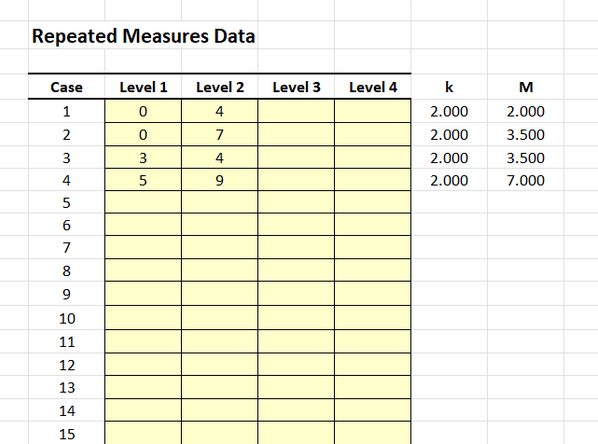
On the left side, you will be able to enter the data in the shaded cells.
-
Enter the data in the individual cells of the column for the variable. Note that each cell should contain a single score for an individual person. There will be as many rows as people.
-
Notice that each individual (i.e., the rows) has a value for each instance of the within-subjects variable (i.e., the columns).
Obtaining Descriptive and Inferential Statistics
-
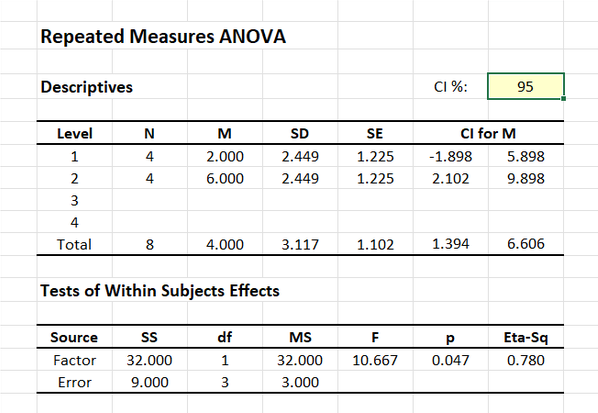
Output will automatically appear on the right side of the tab.
-
If you wish to alter the confidence intervals for the means, enter the preferred confidence level in the shaded cell after “CI %”.